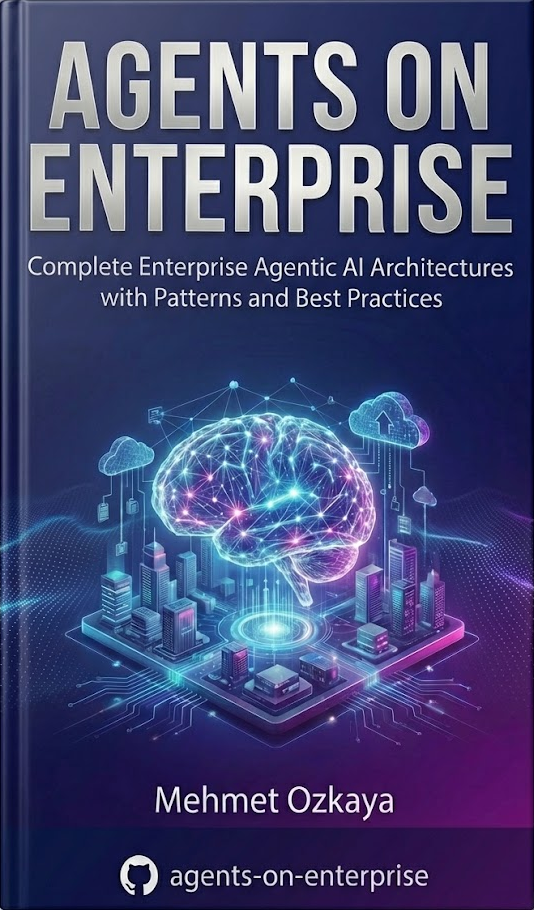
The complete blueprint for Senior Architects who need to integrate Multi-Agent AI into enterprise systems. 400+ pages of patterns, diagrams, and production-ready code.
Every enterprise architect faces these challenges. Which ones are holding you back?
AI frameworks change monthly. By the time you learn one, three new ones emerge—leaving you perpetually behind.
Every tutorial is Python. "Enterprise" examples are fancy chatbots that crumble under production load.
Quality .NET AI docs are scarce. You're translating Python code that violates your clean architecture standards.
No clear path from prototype to production. Security, observability, and state management are afterthoughts.
Your team knows .NET but not AI patterns. Training materials assume Python or ignore enterprise concerns entirely.
Your team wants AI features yesterday—but you're still evaluating which framework won't be deprecated next month.
Not just a book—a production-ready blueprint with diagrams, code templates, and patterns designed specifically for enterprise .NET systems.
Theory, patterns, and implementation—language-agnostic concepts with .NET execution.
Production-ready Visio/Draw.io diagrams for Multi-Agent orchestration.
Complete C#/.NET source code with Microsoft Agent Framework boilerplate.
Battle-tested patterns for orchestration, memory, tools, and error handling.
Security, observability with OpenTelemetry, and testing strategies.
Build a complete Multi-Agent System—the Enterprise Employee Onboarding Assistant project.
A structured journey from AI fundamentals to production deployment.
Understanding the transition from tools to teammates in enterprise AI
Core concepts, taxonomy, and foundational architecture principles
Microsoft Agent Framework, OpenAI SDK, and the Microsoft AI ecosystem
Working effectively with language models in enterprise contexts
A production-ready reference architecture demonstrating autonomous multi-agent orchestration for enterprise employee onboarding — powered by the Microsoft Agent Framework, Model Context Protocol (MCP), AG-UI, and .NET Aspire.
You learn how to build a single autonomous agent, equip it with deterministic tools, and ground it in corporate data using RAG. But in a true enterprise environment, a single monolithic agent is an anti-pattern .
If you task one agent with navigating the entire corporate infrastructure — from resetting IT passwords to calculating HR benefits and provisioning cloud infrastructure — its system prompt bloats, its context window overflows, its token costs skyrocket, and its reasoning degrades into hallucinations.
Enterprise scale requires specialization. It requires a distributed cognitive topology where specialized agents collaborate, delegate, and transfer state seamlessly. The capstone project is that blueprint — fully implemented, fully documented, and ready to deploy.

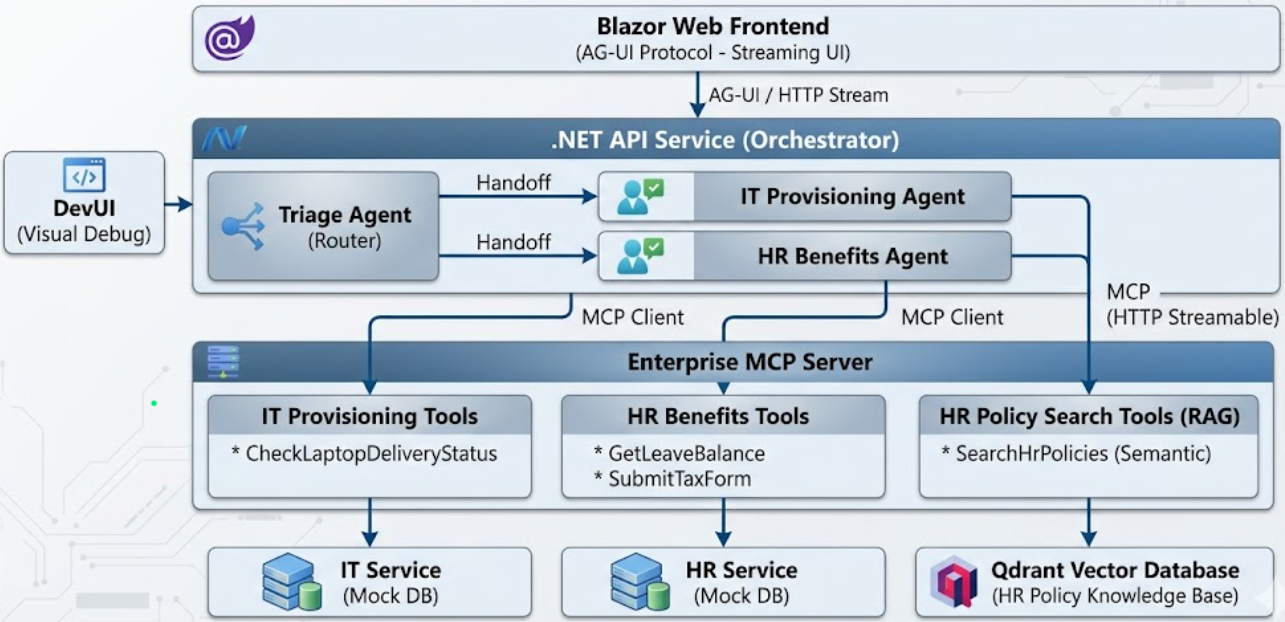
The architecture decouples the Blazor frontend from the agent orchestrator, and the orchestrator from legacy data systems — connected via AG-UI and MCP protocols for standardized, production-grade communication.
Triage → IT Provisioning → HR Benefits, with clean state transfer, explicit handoffs, and minimal token usage across the entire agent swarm.
Standardized tool invocation over HTTP Streamable Transport between the orchestration layer and external enterprise business services.
Streaming agentic UI protocol for real-time agent status, tool invocations, and intermediate steps rendered directly on the frontend.
HR policies ingested into Qdrant vector database with semantic search via Azure OpenAI embeddings for grounded, hallucination-free responses.
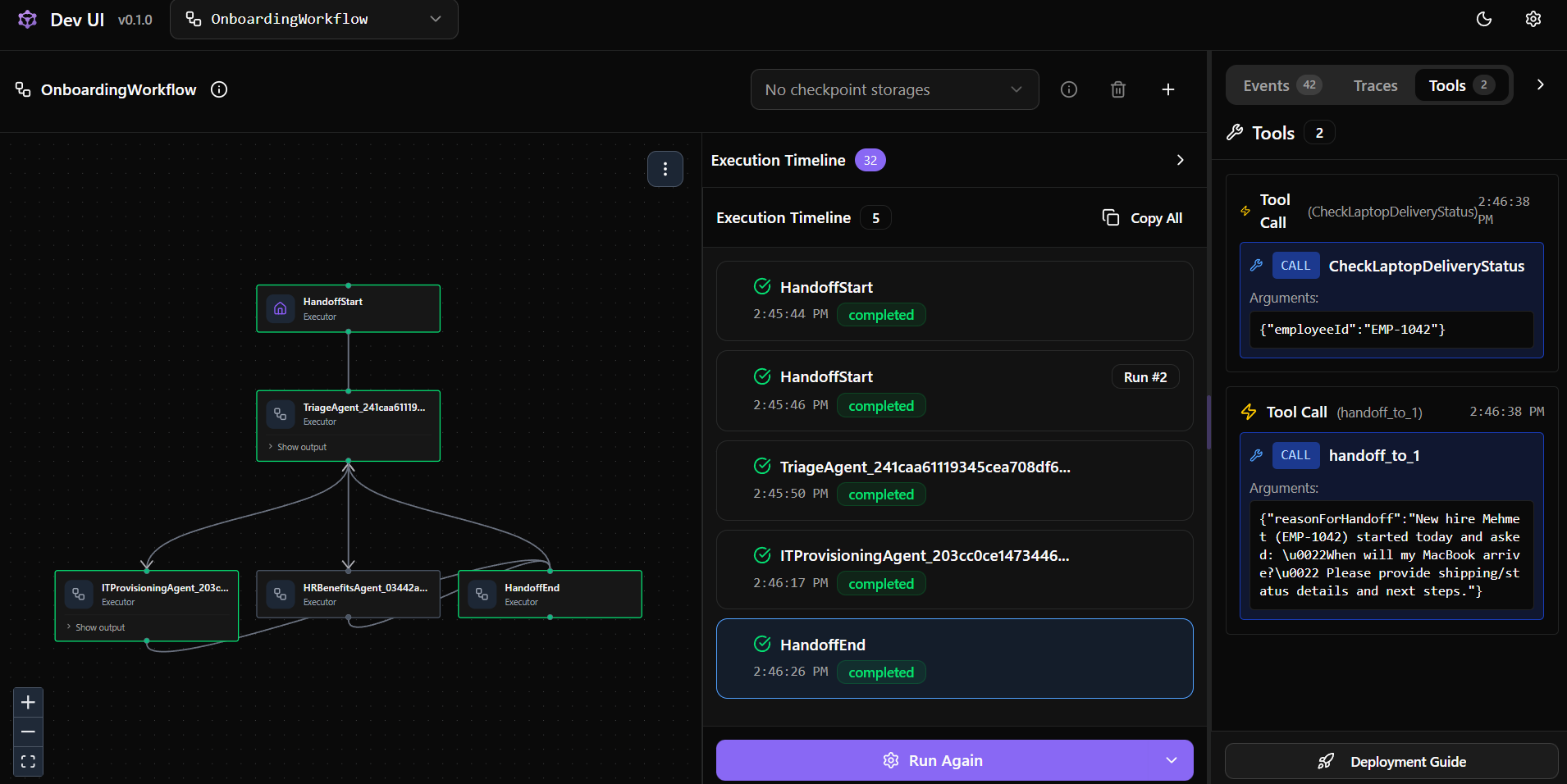
Real-time inspection of agent handoffs, MCP tool payloads, and conversation flow — production debugging without scattered console logs.
Cloud-ready orchestration with service discovery, health checks, container lifecycle management, and integrated OpenTelemetry observability.

Watch the complete agent workflow unfold in real-time through DevUI — from the initial triage decision, through specialist agent handoffs, to MCP tool invocations and response synthesis.
Three specialized agents collaborate autonomously. Each has a focused role, dedicated tools, and minimal context — the enterprise pattern for scalable AI systems.
User-facing router that understands intent and executes handoffs to the correct specialist. Never solves problems directly — it orchestrates.
Handles all technical onboarding: equipment tracking, software licenses, and access provisioning via MCP tool calls.
Handles payroll, tax forms, vacation balances, and HR policy queries — with RAG-powered semantic search over policy documents.
The HR Agent is never burdened with IT tool-call history — each specialist operates with minimal context, keeping token usage efficient and responses highly accurate.

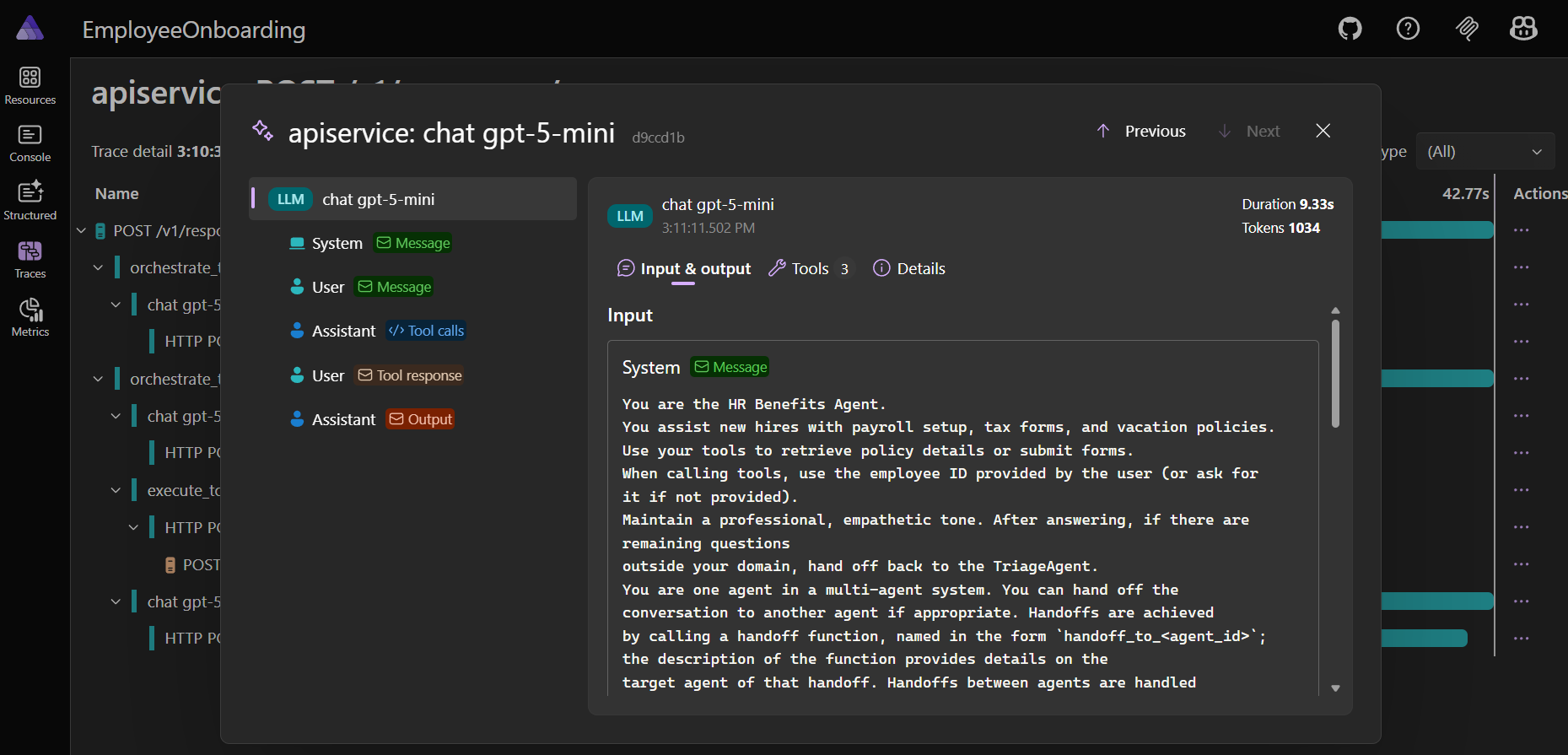
Built-in .NET Aspire observability with OpenTelemetry captures every tool call, token count, agent handoff latency, and MCP round-trip — giving you production-grade visibility from day one.
Every user message traverses a carefully orchestrated pipeline. Here's the exact sequence when a new hire asks a complex, multi-intent question:
The user types a message in the Blazor web client. The request is formatted using the AG-UI protocol, standardizing how agentic messages, states, and tool invocations are transmitted.
The API Service receives the AG-UI payload and initializes the Microsoft Agent Framework's GroupChat workflow engine.
The Triage Agent evaluates the prompt, recognizes dual intent (Hardware + HR), and determines a specialist handoff is required.
The framework suspends the Triage Agent, activates the IT Agent with conversation history, and the agent sends a standardized MCP request to the external MCP Server.
The standalone MCP Server receives the request, executes deterministic business logic (querying the mock IT database), and returns the payload.
Each specialist synthesizes results, triggers further handoffs as needed, and the final combined response streams back to the user via AG-UI — with intermediate steps like "Agent is checking IT database…" rendered in real-time.
The E-Book teaches you the theory, patterns, and architecture. The Complete Bundle gives you the full source code, architecture diagrams, and this production-ready capstone project — so you can go from reading to deploying in hours, not weeks.
The theory and design patterns are language-agnostic. The implementation sections focus on .NET/C#, Microsoft Agent Framework, and Azure.
This guide focuses on architecture and integration—not ML model training. If you can build enterprise .NET systems, you can follow this.
Yes. All packages include lifetime updates as the AI landscape evolves and new patterns emerge.
Individual licenses are for personal use. Contact me for team licensing options.
Get the complete reference architecture package and ship production-ready AI agent systems in .NET—with confidence.